Audit Trail & Activity Logs
AIIA records an immutable, chronologically-ordered audit trail (
AuditLogEvent) for all critical actions, security state changes, data modifications, exports, and AI-driven recommendations.
This compliance-grade log enables internal quality checkers, external auditors, and regulatory supervisors to reconstruct platform actions and verify the accountability and chain-of-custody of audit evidence.
Logged Actions
To satisfy strict Segregation of Duties (SoD) and internal audit standards, AIIA enforces zero audit log bypasses. The platform emits an AuditLogEvent for the following:
| Category | Events Logged | Context Captured |
|---|---|---|
| Security & Access | SSO login, logout, API key creation, revocation, failed authentication. | IP Address, User Agent, User ID |
| Data Modifications | Creation, update, or deletion (CUD) of Universe items, Risks, Controls, Workpapers, and Findings. | Entity ID, Field Diffs (Before/After) |
| Workflow State | Engagement transitions, finding sign-offs, action plan completions. | Approver ID, Sign-off details |
| Exports & Reports | Generation of PDFs, Board Pack exports, Excel/CSV downloads. | Export Parameters, Timestamp |
| AI Actions | RAG retrieval queries, finding drafting suggestions, evidence summaries. | Model ID, Prompt Hash, User Role |
Audit Event Structure
Each AuditLogEvent is committed to the PostgreSQL log repository with the following structure:
{
  "id": "log_8a2f7c9e102d",
  "org_id": 1,
  "timestamp": "2026-05-24T12:35:10Z",
  "user_id": 12,
  "username": "khalid.cae",
  "user_role": "CAE",
  "action": "finding.approve",
  "target_entity": "Finding",
  "target_id": "402",
  "ip_address": "192.168.1.15",
  "payload_diff": {
    "status": {
      "before": "Final",
      "after": "Closed"
    }
  }
}
Tenant Data Isolation
[!IMPORTANT] Audit Trail Isolation: Just like core operational data, audit logs are isolated on the database level using PostgreSQL Row-Level Security (RLS) policies. Administrators and auditors from Organization A can never query or inspect the audit logs of Organization B.
Viewing and Searching the Audit Logs
Administrators can access the audit trail by navigating to Admin → Audit Logs in the sidebar.
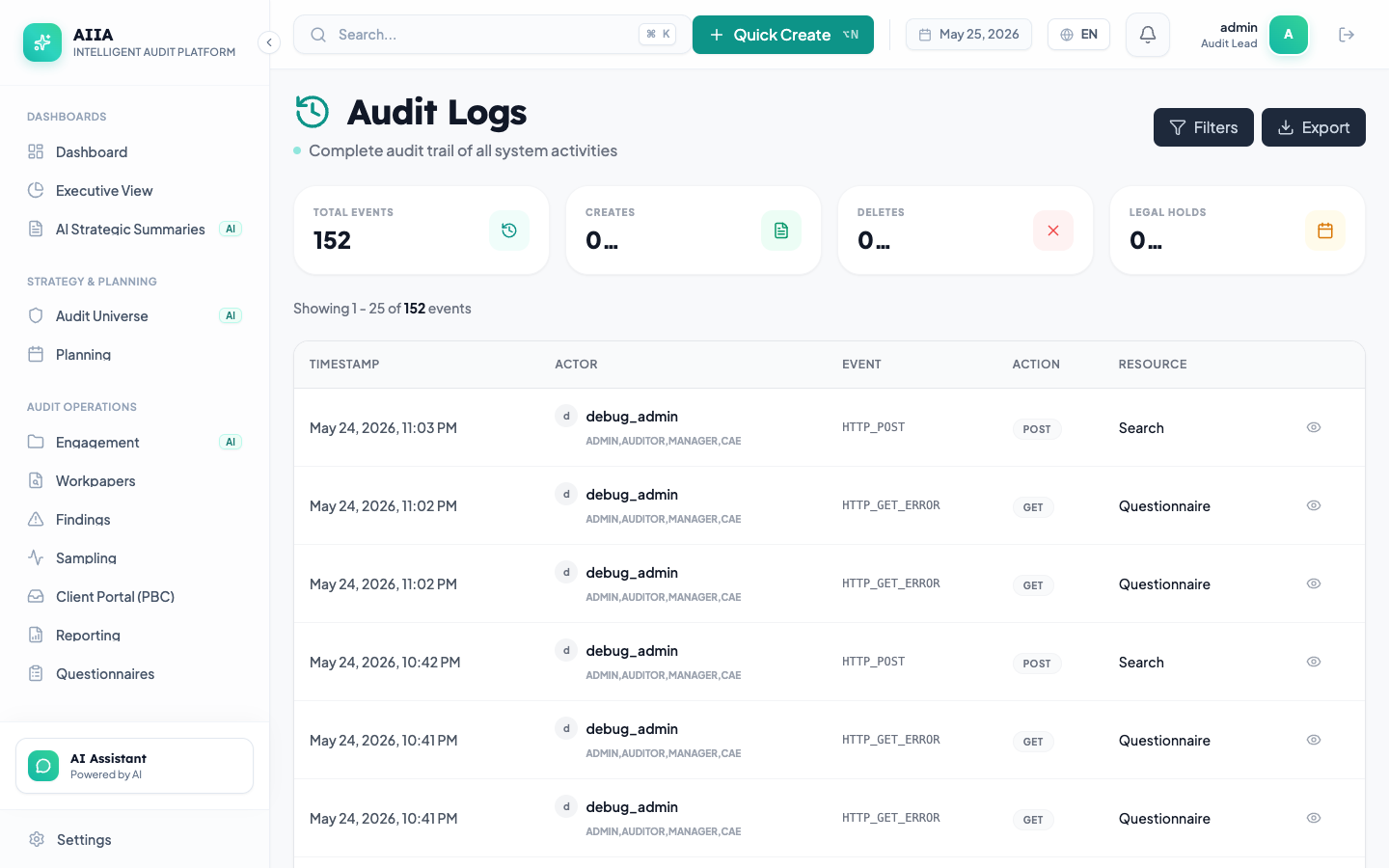
Key Features
- Full-Text Search: Query events by user name, action, or target entity ID.
- Filters: Filter logs by timestamp range, severity rating, and action category.
- Diff Viewer: Click on any data modification log to expand a JSON-based diff showing exactly which fields were changed.
- Export Trail: Export filtered subsets of the audit logs to CSV or signed PDF format for regulatory compliance submissions.