Quick Start Guide
Get from zero to your first audit engagement in 15 minutes.
Prerequisites
- AIIA account with Admin or CAE role
- Modern web browser (Chrome, Edge, Safari, Firefox)
Step 1: Log In (2 min)
- Navigate to your AIIA instance URL
- Click Sign In — you'll be redirected to Keycloak SSO
- Enter your credentials
- After authentication, you'll land on the AI Governance Hub dashboard
Step 2: Populate the Audit Universe (5 min)
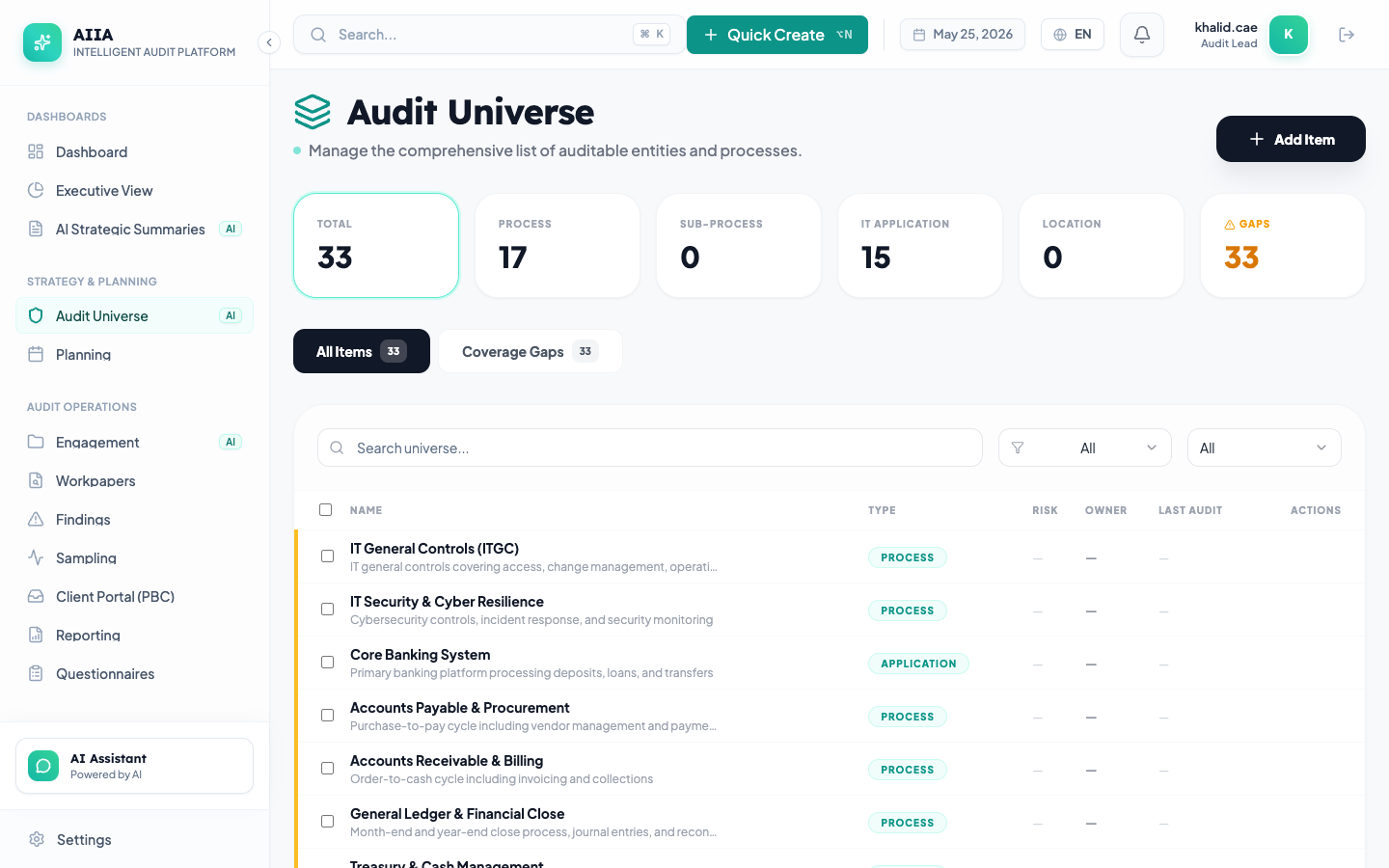
- Click Universe in the left sidebar
- Click + New Item to add your first auditable entity
- Fill in:
- Name: "Finance Department"
- Type: Business Unit
- Description: "Central finance operations"
- Click Save
- Add 2-3 more entities (e.g., "IT Department", "Procurement")
Step 3: Add Risks (3 min)
- Click on "Finance Department"
- Go to the Risks tab → + Add Risk
- Enter:
- Title: "Unauthorized payment approvals"
- Category: Financial
- Likelihood: 3 / Impact: 4
- Save — risk score is automatically calculated
Step 4: Create Your First Engagement (3 min)
- Click Engagements → + New
- Fill in:
- Title: "FY2027 Finance Department Audit"
- Type: Operational
- Business Unit: "Finance Department"
- Start Date: Today
- Click Save → engagement is created in Draft status
Step 5: Start Fieldwork (2 min)
- Click Begin Fieldwork on the engagement
- Click Workpapers → + New Workpaper
- Select Blank template
- Write your first workpaper
- Try AI Draft to have AI generate a conclusion
You're Up and Running! 🎉
Next steps:
- Complete Onboarding → — detailed setup walkthrough
- Your First Full Engagement → — comprehensive scenario
- Module Reference → — deep-dive into each module
- AI Features → — explore AI capabilities