Continuous Monitoring & KRI
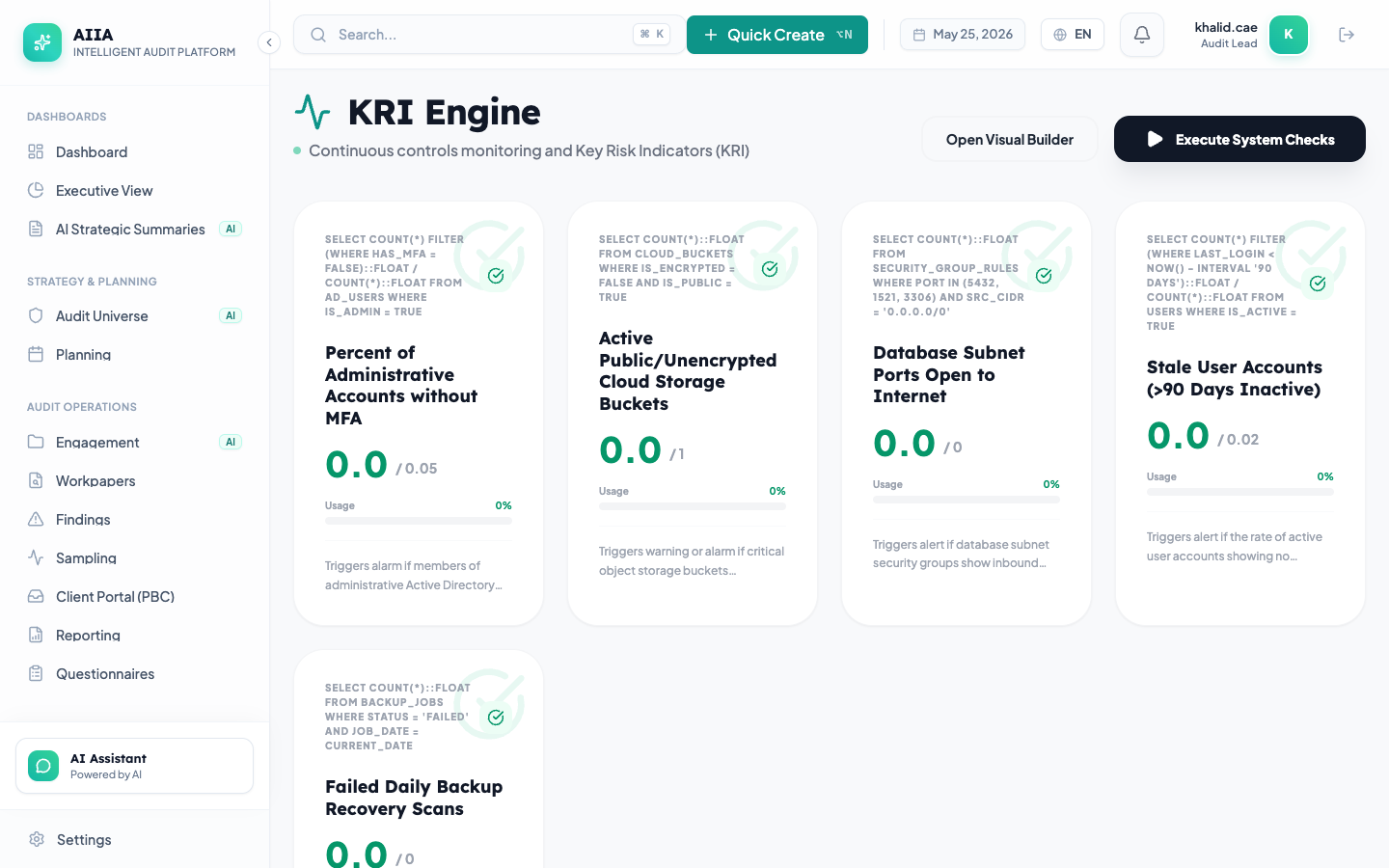
The Continuous Monitoring module enables proactive risk detection through Key Risk Indicators (KRIs), automated data analysis, and real-time alerting — moving internal audit from periodic to continuous assurance.
What Is Continuous Monitoring?
Traditional auditing is periodic — audits happen once a year or once a quarter. Continuous monitoring bridges the gap by:
- Tracking Key Risk Indicators in real-time
- Running automated tests on a recurring schedule
- Generating alerts when thresholds are breached
- Providing trend analysis to detect emerging risks
Key Capabilities
| Capability | Description |
|---|---|
| KRI Playground | Visual drag-and-drop builder for creating KRIs |
| AI KRI Wizard | AI-guided KRI creation from natural language |
| Threshold Configuration | Red/amber/green thresholds with configurable bands |
| Automated Tests | Schedule data queries to run hourly/daily/weekly |
| Alert Management | Notifications when KRIs breach thresholds |
| Trend Analysis | Historical trend visualization and prediction |
| RAG Visualization | Real-time Red/Amber/Green status for all KRIs |
| Dashboard Integration | KRI widgets for executive dashboards |
| Data Source Connectors | Pull data from ERP, HRIS, GRC systems |
KRI Lifecycle
KRI Types
| Type | Description | Example |
|---|---|---|
| Financial | Monetary metrics | Invoice amount over SAR 1M without approval |
| Operational | Process efficiency metrics | Ticket resolution time > 48 hours |
| Compliance | Regulatory compliance metrics | Overdue regulatory filings |
| IT / Security | Technology risk metrics | Failed login attempts > 50/hour |
| HR | People risk metrics | Employee terminations > 5% per month |
Creating KRIs
There are three methods:
Method 1: KRI Playground
The visual drag-and-drop builder lets you:
- Select a data source (database table, API endpoint, or connector)
- Choose metrics to track
- Set thresholds with visual band configuration
- Preview results in real-time
See KRI Playground → for details.
Method 2: AI KRI Wizard
Describe what you want to monitor in natural language:
- "Monitor accounts payable aging over 90 days"
- "Alert me when IT change requests exceed 10 per day without CAB approval"
- "Track failed login attempts across all systems"
The AI generates the complete KRI configuration. See AI KRI Wizard →.
Method 3: Manual Configuration
Advanced users can directly configure KRI parameters including data queries, aggregation logic, and threshold rules.
Getting Started
- KRI Playground → — Visual KRI builder
- AI KRI Wizard → — AI-guided creation
- Threshold Configuration → — Set RAG thresholds
- Alert Management → — Configure notifications
- Trend Analysis → — Historical analysis
Related Documentation
- Dashboards — display KRI widgets
- Integrations — connect data sources
- AI Features — AI-assisted monitoring